
Pocket Radar® Sports
Pocket Radar, Inc.Sports
3.2102.00 Reviews
- Version
- 2.4.2
- Installs
- 100.00K
- Age Rating
- Everyone
Screenshots
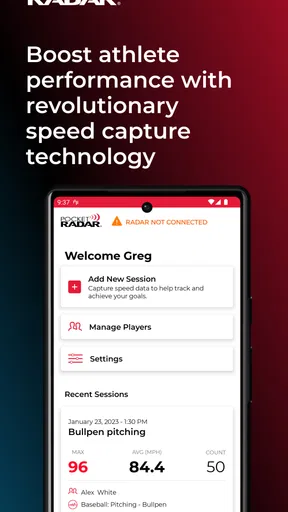
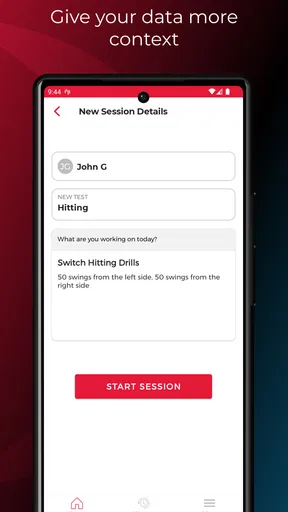
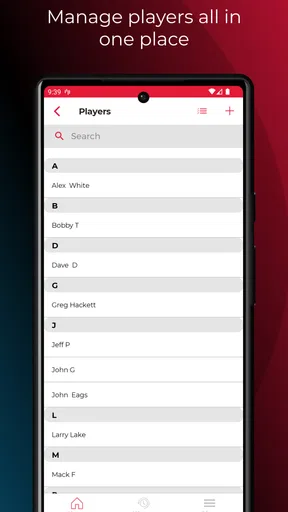
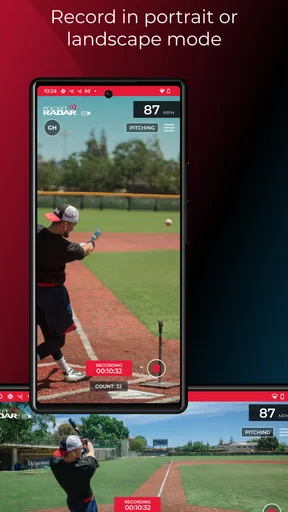
Our Review of Pocket Radar® Sports
 Analysis by Appyee
I approached Pocket Radar® Sports as a training companion rather than as a standalone sports app. That distinction matters immediately: the app is built around a Smart Coach Radar Device, so the phone is only one part of the experience. Pocket Radar, Inc. has created a system for capturing speed and video during practice, which makes it more specialized than the usual scoreboard, workout log, or coaching-notes app.
My first impression was that its value depends less on how many buttons the app has and more on whether it fits the way you already train. If you are a baseball, softball, or other speed-focused athlete who wants evidence from a session, the concept makes sense. If you only want a quick fitness tracker or a general sports news app, this is the wrong category entirely.
The app is free to install and is aimed at Everyone, although the complete experience depends on compatible hardware and some in-app purchases range from one dollar to forty-nine dollars and ninety-nine cents per item. That combination makes the initial download easy to try, but it also means I would not judge the app without considering the cost and practicality of the radar device it expects you to use.
How fast the experience feels in real training
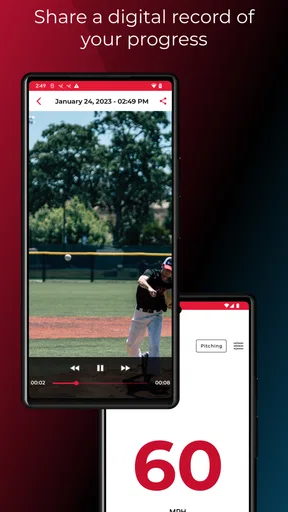
The central appeal is speed feedback. A radar reading can turn an otherwise ordinary throwing or hitting session into something easier to evaluate, because you are not relying only on memory or on how hard an attempt felt. The video side adds useful context: you can connect a recorded movement with the result instead of treating the number as an isolated score.
In practice, I would use it when a player is working through a short set of throws and wants to compare effort with mechanics. The important insight is that the app is not necessarily about chasing the highest number on every attempt. A more useful workflow is to record a small group of consistent efforts, review the video, and look for whether a repeatable motion produces a similar result. That makes the system more valuable for coaching than a single impressive reading.
That speed expectation should be kept realistic. The app does not magically make a phone measure everything by itself; the Smart Coach Radar Device is a required part of the setup. Before practice, I would check the radar’s position, the athlete’s direction of movement, and whether the phone is ready to capture the intended sequence. A rushed setup can make the session feel slower than the app itself, especially when several athletes are waiting for their turn.
Compared with a basic stopwatch, this approach offers a more relevant measurement for explosive sports. A stopwatch can time a sprint, but it does not serve the same purpose as a radar-centered speed reading paired with video. Compared with a dedicated camera, the app brings measurement and footage into one training workflow. The trade-off is that the system is less convenient than simply opening a camera app and pressing record.
One practical tip is to decide what question the session is trying to answer before starting. Are you checking whether a mechanical change improves speed, trying to establish a repeatable baseline, or simply collecting clips for later review? Without that decision, it is easy to gather a pile of recordings and numbers without learning much from them. The app is strongest when each recording has a clear purpose.
What the video adds beyond a speed number
Video is especially useful when the reading surprises you. If an attempt feels powerful but produces a weaker result, the clip gives you something concrete to inspect. You might notice a shortened follow-through, an unstable landing, or a timing issue that is difficult to remember afterward. I would not treat the video as an automatic coaching diagnosis, but it can make a conversation between athlete and coach much more specific.
There is also a subtle benefit for athletes who tend to overestimate effort. A speed reading can challenge that feeling without turning the session into an argument. The better approach is to compare several attempts under similar conditions rather than reacting emotionally to one result. In that role, the app works as a record-keeping aid and a visual reminder of what actually happened.
For parents helping a young athlete, the video can make home practice more organized. A parent can focus on operating the phone while the athlete repeats a drill, then review a few clips together. That is more useful than filming continuously, because selective recording keeps the review manageable and avoids turning every practice into a production.
Heavy-use moments and the cost of a busy session
The most demanding moments are likely to come when the app is used repeatedly during a long practice: radar readings, video capture, reviewing clips, and moving between athletes. I would plan the session around short blocks rather than leaving everything running without a purpose. That reduces clutter and makes it easier to identify which clip belongs to which drill.
A realistic example would be a coach working with three pitchers after school. The coach could give each player a defined set of attempts, capture only the relevant deliveries, and pause for a quick review before changing the drill. The app then becomes part of the coaching rhythm instead of a second job. If every pitch is recorded and reviewed immediately, the process can interrupt practice and make the athletes wait too long.
Storage and battery awareness also matter whenever video is involved. I would begin with enough phone charge for the whole session, close unrelated apps, and avoid recording material that will never be reviewed. These are simple habits, but they make a noticeable difference to any phone-based training workflow. The app’s usefulness is reduced if the device becomes the bottleneck.
For a single athlete, heavy use is easier to manage because there is less switching between people. For a team, organization becomes more important than raw recording capacity. I would separate sessions by date or training goal in my own notes and keep the number of clips intentional. The app can support a team environment, but the coach still has to create the filing system and decide what deserves attention.
Another trade-off appears when the athlete wants instant feedback after every attempt. Immediate review can be motivating, but it can also break concentration. I prefer reviewing after a short group of attempts unless the drill specifically depends on making a correction right away. This preserves the flow of practice while still using the app’s evidence effectively.
How to avoid turning measurement into distraction
The temptation with speed tools is to make the number the entire session. I think that is a mistake. Speed is one piece of performance, and the accompanying video is most helpful when it supports a technical goal. A player who changes mechanics every attempt in pursuit of a higher reading may end up with inconsistent movement that does not transfer well to competition.
I would also avoid comparing readings taken under completely different conditions as if they were equal. Different drills, effort levels, positions, and setups can change what the number means. The app can help create a more consistent practice routine, but it cannot remove the need for sensible comparisons. That is one of the main differences between useful tracking and simply collecting data.
For families, the free download lowers the barrier to exploring the workflow, but the required radar device remains a serious consideration. Someone who only wants occasional speed checks may find the overall setup excessive. A dedicated radar used without a phone-based video workflow could be simpler for quick readings, while a standard camera could be enough for technique review when speed measurement is not important.
Reliability, recovery, and what I would trust
I would trust the system most when the setup is repeated consistently. A reading becomes more meaningful when the device is placed in the same general position, the athlete performs the same kind of attempt, and the recording process is not changing from one session to the next. Consistency is more important than chasing a perfect-looking result.
The app has a current version of 2.4.2, and its release history reaches back to December 3, 2018. That gives it the profile of an established sports utility rather than a brand-new experiment. Still, an established app can feel different depending on the phone, the radar connection, available storage, and the way the user handles video. I would test the complete setup before relying on it for an important evaluation.
Its average rating is 3.2 from around five hundred ratings, with just over one hundred written reviews. I read that as a reason to approach the experience with realistic expectations rather than as an automatic rejection. A specialized hardware-dependent tool can satisfy the right audience while frustrating people who expect a self-contained phone app. The rating suggests that fit and setup are important parts of the decision.
Recovery after an interruption is another practical concern. If the phone locks, a recording is stopped, or the session is paused while changing athletes, I would take a moment to confirm that the next attempt is being captured correctly. That small check is worthwhile because a missed clip can be more frustrating than a slightly inconvenient setup. I would not assume that every interruption is harmless without verifying the screen and device connection.
For dependable use, I would prepare before the athlete arrives: charge the phone, clear enough storage, position the radar, and make a short test recording. This is not glamorous, but it is the difference between a smooth training block and a session spent troubleshooting. The app rewards preparation more than improvisation.
There is also a human reliability factor. A coach or parent operating the system needs to know when to focus on the athlete rather than the screen. If the operator is constantly adjusting the phone, the athlete may receive less useful feedback. I would assign one person to handle capture when possible and keep the coaching discussion separate from the technical controls.
Device constraints that shape the decision
The biggest limitation is also the most important fact about the product: the Smart Coach Radar Device is required. This is not an optional accessory that merely unlocks a bonus mode. It defines the entire use case. Before installing the app, I would confirm that buying and carrying the radar fits the intended training routine.
The minimum operating-system requirement is version 10, so users on older mobile software should check compatibility before planning around it. The app is available as a free sports download, but the free entry point should not be confused with a completely cost-free training system. Hardware, optional purchases, and the time needed to manage recordings all belong in the real budget.
Portability is another trade-off. A phone alone is easy to bring to a field, but a phone plus radar device requires more preparation and a safe place to position the equipment. That is worthwhile for regular athletes who will use the readings often. It is less appealing for someone who wants to film a casual practice once in a while.
The device requirement also affects sharing. If a team expects several coaches to use the system, they should agree on who owns the radar, who carries it, and how recordings are handled. The app may be useful in a group, but the hardware can become a scheduling constraint. A single athlete training independently will usually face fewer logistical problems.
I would also think about the environment. Outdoor practice, changing light, crowded backgrounds, and limited space can all make video capture less convenient, even when the speed-reading goal remains straightforward. The app is best treated as a focused training tool, not as a replacement for every kind of sports camera or performance platform.
That is why I would skip it if my main need were general workout tracking, live scores, or simple video recording. Those jobs can be handled more directly by ordinary fitness, camera, or sports apps. Pocket Radar Sports makes sense when speed measurement and video belong together and when the required radar device is acceptable.
Who should use it and who should choose another route
I can recommend it to serious recreational athletes, developing players, parents who actively support practice, and coaches who want a repeatable way to connect movement with speed. It is particularly suitable for sessions where a player is testing a technical adjustment and needs more than a subjective impression.
I would be more cautious for beginners who are still learning basic movement patterns. Too much attention to speed can distract from balance, control, and safe technique. In that situation, a coach may get more from simple video review and direct instruction before adding radar-based feedback.
It is also not the best fit for people who dislike equipment setup. The app is not a tap-and-go stopwatch. The radar must be available, the phone must be positioned sensibly, and the recording workflow must be managed. If convenience is the top priority, a simpler alternative will probably feel better even if it provides less detailed feedback.
Compared with a conventional camera app, this system offers a more purposeful connection between footage and speed training, but it asks more from the user. Compared with a basic radar gun, it can make the session more reviewable through video, but the phone becomes part of the process. Compared with a general sports tracker, it is narrower and more specialized rather than broadly useful.
One of my preferred workflows would be to use it for periodic technique checks rather than every practice. That keeps the recordings meaningful, reduces equipment fatigue, and gives the athlete time to apply what was learned. For daily training, the app can still be useful, but only if the athlete and coach have a clear reason to keep measuring.
My performance verdict after weighing the whole setup
Pocket Radar® Sports is best understood as a focused measurement-and-video system, not a standalone sports app. Its perceived speed depends on a prepared phone and a compatible Smart Coach Radar Device; its stability depends on consistent positioning and a sensible recording routine; and its recovery from interruptions depends on checking the setup before returning to the drill.
I like the idea because it encourages more honest training conversations. Instead of saying that a throw felt faster, I can review the attempt and consider the speed alongside the movement. That does not replace coaching judgment, but it gives the discussion something concrete to work with. The strongest results come from repeated, comparable attempts rather than from one dramatic number.
The limitations are equally clear. The required hardware raises the commitment, video can consume attention and phone resources during long sessions, and the app is too specialized for users who only want general sports tracking. The in-app purchase range, from one dollar to forty-nine dollars and ninety-nine cents per item, is another reason to understand the complete cost before building a routine around it.
With over one hundred thousand installs, it has found a real audience, but popularity alone does not make it suitable for everyone. I would install the free app first, confirm that the phone meets the operating-system requirement, and then decide whether the radar-based workflow matches my training goals. I would not buy equipment solely because the app sounds useful in theory.
My final recommendation is positive but targeted. If you already have access to the Smart Coach Radar Device and care about connecting speed readings with video, this is a practical tool worth exploring. If you want effortless recording, broad fitness features, or a quick measurement without extra equipment, choose a simpler alternative. For the right athlete, the app can make practice more measurable; for everyone else, its specialized setup may outweigh the benefit.
Verdict
Strengths of Pocket Radar® Sports
- Accurate speed readings help track pitching and throwing progress.
- Simple interface makes it easy to start recording measurements quickly.
- Useful for coaches, athletes, and parents during outdoor practice sessions.
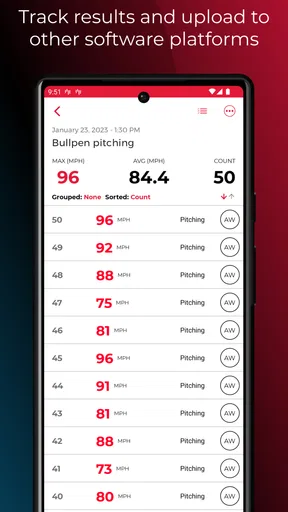
- Stores measurement history for reviewing performance over time.
- Supports multiple sports, including baseball, softball, and tennis.
Limitations of Pocket Radar® Sports
- Reliable readings require a clear line of sight to the moving object.
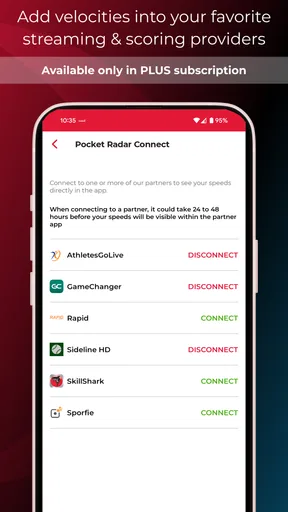
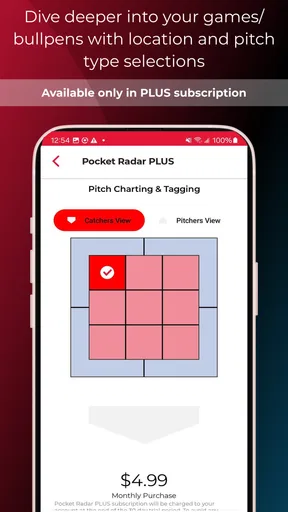
- Some advanced features may require an additional subscription or purchase.
- Performance can vary in poor lighting or challenging outdoor conditions.
- The radar may struggle with very slow or irregular movements.
- A compatible Pocket Radar device may be needed for full functionality.
Similar Picks in This Category
View All
BeSoccer: Soccer Live Score
BeSoccer apps4.3

Cricbuzz - Live Cricket Scores
Cricbuzz.com3.7

NFL
NFL Enterprises LLC2.4

Da Fit
MO YOUNG LIMITED3.6

ESPN
Disney4.5

LiveScore: Live Sports Scores
LiveScore Limited4.5
Frequently Asked Questions
What is Pocket Radar® Sports used for?
Pocket Radar® Sports is designed to measure the speed of moving objects, especially sports balls. It can be useful for baseball, softball, tennis, soccer, and other training situations where athletes or coaches want quick speed readings. The app is intended to work with compatible Pocket Radar hardware, so downloading the application alone may not provide radar measurements without the required device.
Do I need a Pocket Radar device to use the app?
Yes, the app is generally intended to work alongside compatible Pocket Radar equipment rather than function as a standalone speed-measuring tool. Before downloading, check the current compatibility information for your phone model and the specific Pocket Radar product you own. Features, connection methods, and supported devices may vary between versions, so users should confirm the requirements in the official app listing.
Which sports and measurements does Pocket Radar® Sports support?
Pocket Radar® Sports can be used in several training environments, including baseball, softball, tennis, and other activities involving a moving ball or object. The exact measurements and display options depend on the connected Pocket Radar model and the sport selected in the app. It is best suited to speed tracking and practice feedback, not professional officiating or laboratory-grade analysis.
Is Pocket Radar® Sports accurate enough for training?
The app can provide useful speed feedback when it is paired with compatible Pocket Radar hardware and used correctly. Accuracy depends on the radar model, the athlete’s position, the angle of measurement, the distance, and surrounding conditions. For reliable results, follow the manufacturer’s setup instructions and keep the radar aligned with the object’s path. Readings should be treated as training information rather than an official measurement.
Is Pocket Radar® Sports free to download, and does it require an account?
The app’s download price, optional subscriptions, and account requirements can change over time and may differ between Android and iOS. Some basic functions may be available without payment, while advanced tools, saved sessions, cloud features, or device-related services may require registration or an additional purchase. Review the current store listing and in-app terms before downloading, especially if you want to use the app with a specific radar product.
